oray
  • Products
  • Downloads
  • Resources
  • Explore
  • Partners
  • Pricing
Products
  • AweSun Remote Desktop Control
  • AweSeed Intelligente Networking
  • AweShell NAT Traversal Expert
Downloads
  • AweSun Personal Edition
  • AweSeed Client
  • AweShell Client
Resources
  • Resources
Explore
  • Redeem Code
  • About Us
Partners
  • Partners
Pricing
  • AweSun Personal Plan
  • AweSeed Business Plan
  • AweShell Personal Plan
  • AweShell Business Plan
more
i18n
en
arrow
AI-translated page. Original content available in English.
Contact Us
Smart Hardware

AweSun

  • AweSun
  • AweSeed
  • AweShell
Search for this product
Search all.
  • Search all documents

Quick Start

Individual User

How do I initiate Remote Assistance with an identification code?

Unattended access your computer

What is a channel connection

Awesun Safety Remote Control Tutorial

Operation Help

software application

computer end application

How to Remote Files on Computer

Privacy screen

Handle Mapping

Multi-screen control Multi-screen

Intelligent hardware

Boot Hardware

Power-on socket/patch panel FAQ

Remote control without network

Resolution and refresh frequency supported by intelligent remote control devices

Common problems of intelligent remote control equipment

Software Manual

Windows

Windows personal edition manual

Android & iOS

Control terminal Android version manual

Control terminal iOS version manual

User Manual of AweSun Host for Android

Intelligent hardware

Other

Intelligent remote control mouse (Bluetooth version) manual

Power on socket C2 manual

Case Center

Scenario Case

Telecommuting

Awesun Helps Huawei Improve Collaboration Efficiency

Industry case

IT Internet

How do well-known game manufacturers build internal remote assistance systems with the help of Aweray Awesun?

Smart Transportation

Soft and hard integrated solution to build intranet operation and maintenance, Aweray Awesun privatization deployment empowers Zhejiang Zhongche.

Intelligent Manufacturing

How to build an efficient cross-border remote technical support system when the manufacturing industry is out to sea?

Solution

IT Operation and Maintenance

Support ZTE's new fulcrum server operating system to Aweray the localization of Awesun empowerment.

How can enterprises quickly build a remote IT operation and maintenance system to deal with holiday business?

How does the first-line commercial equipment operate efficiently? Starting from these four aspects

Tips for remote IT management: How to group a large number of IT equipment? How to set up fast grouping?

To deal with the four major problems of chain operation and maintenance, Aweray Awesun IT operation and maintenance solutions to empower the chain retail industry.

Telecommuting

Deal with these three pain points, 'painless' to build enterprise telecommuting system

The Dragon Boat Festival holiday business is not interrupted, and the enterprise telecommuting plan is deployed in three steps.

After the telecommuting system is set up, how to manage IT assets in an enterprise in a unified way?

Technical Support

No longer piecemeal, how do enterprises build platform-based technical support services?

Efficient assistance, professional image, customer-oriented! Three aspects to build enterprise technical support professional reputation

How to ensure the security of remote control business? Analysis of the "whole process safety closed loop" system of Aweray Awesun

 


Cancel

Back to Home Page

Quick Start

 

Individual User

 

How do I initiate Remote Assistance with an identification code?

 

Unattended access your computer

 

What is a channel connection

 

Awesun Safety Remote Control Tutorial

 

Operation Help

 

software application

 

computer end application

 

How to Remote Files on Computer

 

Privacy screen

 

Handle Mapping

 

Multi-screen control Multi-screen

 

Intelligent hardware

 

Boot Hardware

 

Power-on socket/patch panel FAQ

 

Remote control without network

 

Resolution and refresh frequency supported by intelligent remote control devices

 

Common problems of intelligent remote control equipment

 

Software Manual

 

Windows

 

Windows personal edition manual

 

Android & iOS

 

Control terminal Android version manual

 

Control terminal iOS version manual

 

User Manual of AweSun Host for Android

 

Intelligent hardware

 

Other

 

Intelligent remote control mouse (Bluetooth version) manual

 

Power on socket C2 manual

 

Case Center

 

Scenario Case

 

Telecommuting

 

Awesun Helps Huawei Improve Collaboration Efficiency

 

Industry case

 

IT Internet

 

How do well-known game manufacturers build internal remote assistance systems with the help of Aweray Awesun?

 

Smart Transportation

 

Soft and hard integrated solution to build intranet operation and maintenance, Aweray Awesun privatization deployment empowers Zhejiang Zhongche.

 

Intelligent Manufacturing

 

How to build an efficient cross-border remote technical support system when the manufacturing industry is out to sea?

 

Solution

 

IT Operation and Maintenance

 

Support ZTE's new fulcrum server operating system to Aweray the localization of Awesun empowerment.

 

How can enterprises quickly build a remote IT operation and maintenance system to deal with holiday business?

 

How does the first-line commercial equipment operate efficiently? Starting from these four aspects

 

Tips for remote IT management: How to group a large number of IT equipment? How to set up fast grouping?

 

To deal with the four major problems of chain operation and maintenance, Aweray Awesun IT operation and maintenance solutions to empower the chain retail industry.

 

Telecommuting

 

Deal with these three pain points, 'painless' to build enterprise telecommuting system

 

The Dragon Boat Festival holiday business is not interrupted, and the enterprise telecommuting plan is deployed in three steps.

 

After the telecommuting system is set up, how to manage IT assets in an enterprise in a unified way?

 

Technical Support

 

No longer piecemeal, how do enterprises build platform-based technical support services?

 

Efficient assistance, professional image, customer-oriented! Three aspects to build enterprise technical support professional reputation

 

How to ensure the security of remote control business? Analysis of the "whole process safety closed loop" system of Aweray Awesun

 

Search for this product

Search all.

Home Page AweSun Products Ollama Gemma3 Model Open WebUI Remote Access Tutorial

Ollama Gemma3 Model Open WebUI Remote Access Tutorial

Update Date:2025-07-18 13:48:10

Local deployment of Ollama with open source visual models Gemma3 and Open WebUI can not only run powerful multi-modal large models offline, but also realize convenient interaction through graphical interface, taking into account privacy, security and ease of use.

The following is a complete detailed process for deploying the Ollama Gemma3 model Open WebUI locally. It is suitable for Windows environments. In the future, you can also use Aweray Aweshell for intranet penetration to realize remote access. Moreover, there is no need for public network IP or router configuration. The operation is very simple!

How do 1. deploy Gemma3 models with Ollama?

1. Install Ollama

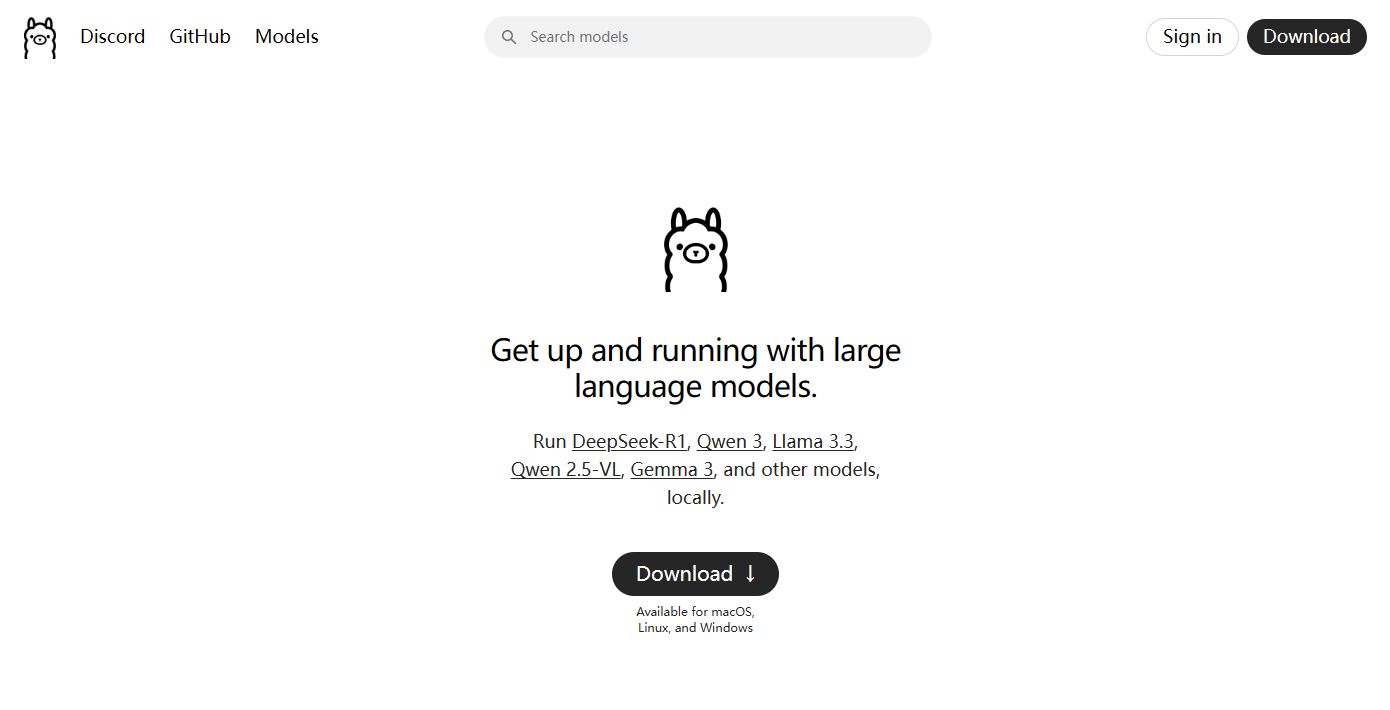
Go to Ollama's official website (ollama.com) to download the installation package, install it with one click, and start Ollama.
Photo

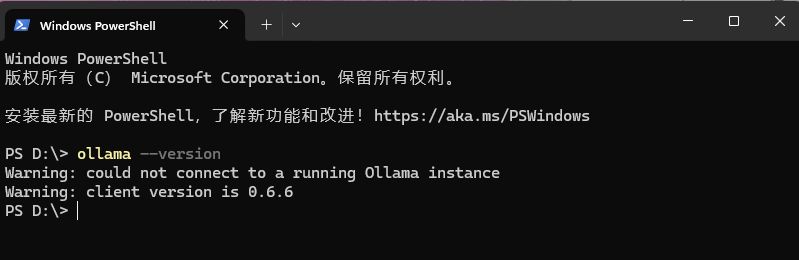
After the installation is complete, open the command line (CMD or PowerShell) to test whether the installation is successful:

'ollama -- version'
Photo

2. Run Gemma3 model

Gemma3 is an open source visual/language model series released by Google. It can be directly enabled by using the following command. The model will be automatically downloaded during the first run. Depending on the selected parameter size, hundreds of MB to several GB of disk space may be required. After the download is completed, the model will be automatically loaded.

'ollama run gemma3'

Photo

How do 2. install OpenWebUI with Docker?

1. Install Docker

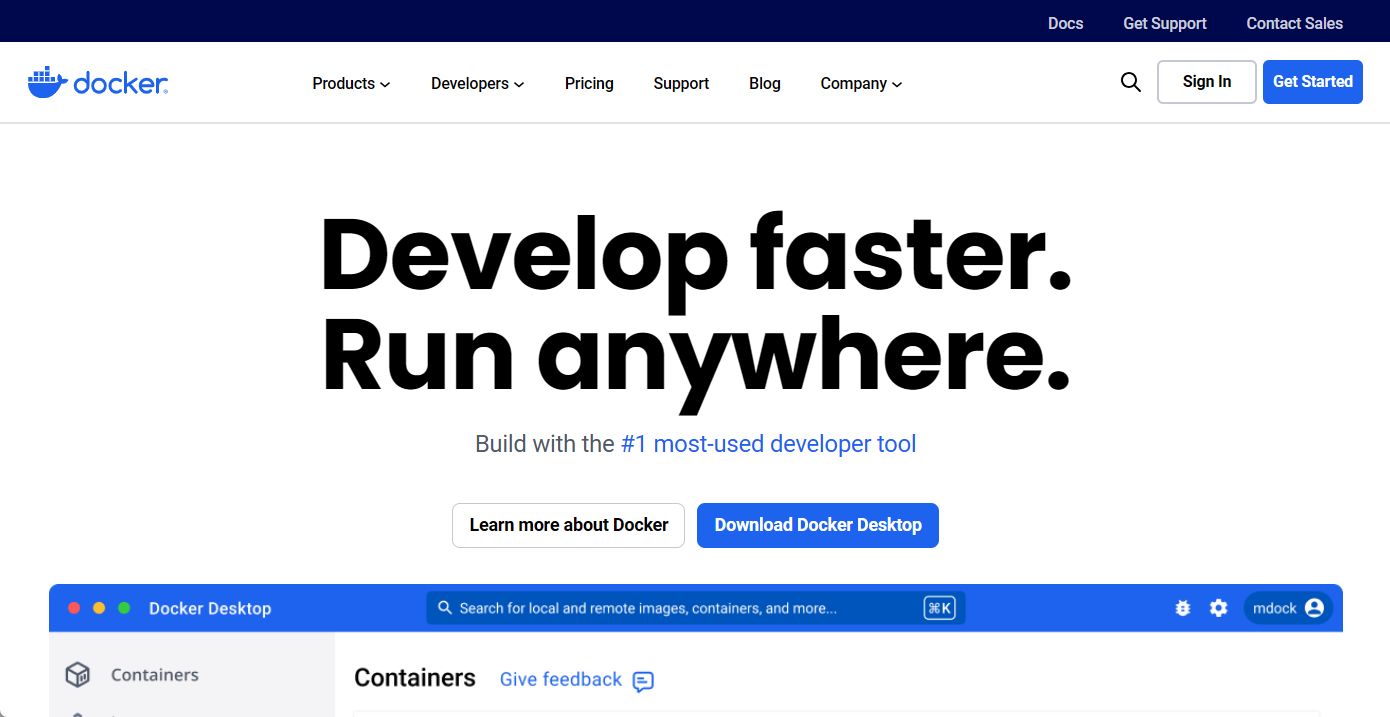
Go to the Docker official website (docker.com) to download the installation package, install it with one click, and start Docer.
Photo

2. Open command prompt to pull Open WebUI Docker image

' docker pull ghcr.io/open-webui/open-webui:main '

3. Start the container and bind Ollama

'docker run-d '

'-p 3000:8080 '

'-e OLLAMA_BASE_URL=http://host.docker.internal:11434 '

'-v open-webui:/app/backend/data '

'--name open-webui '

'ghcr.io/open-webui/open-webui:main'

-p 3000:8080: local open port is 3000 The OLLAMA_BASE_URL points to the Ollama service address on your host (under Windows, you can directly use host.docker.internal)

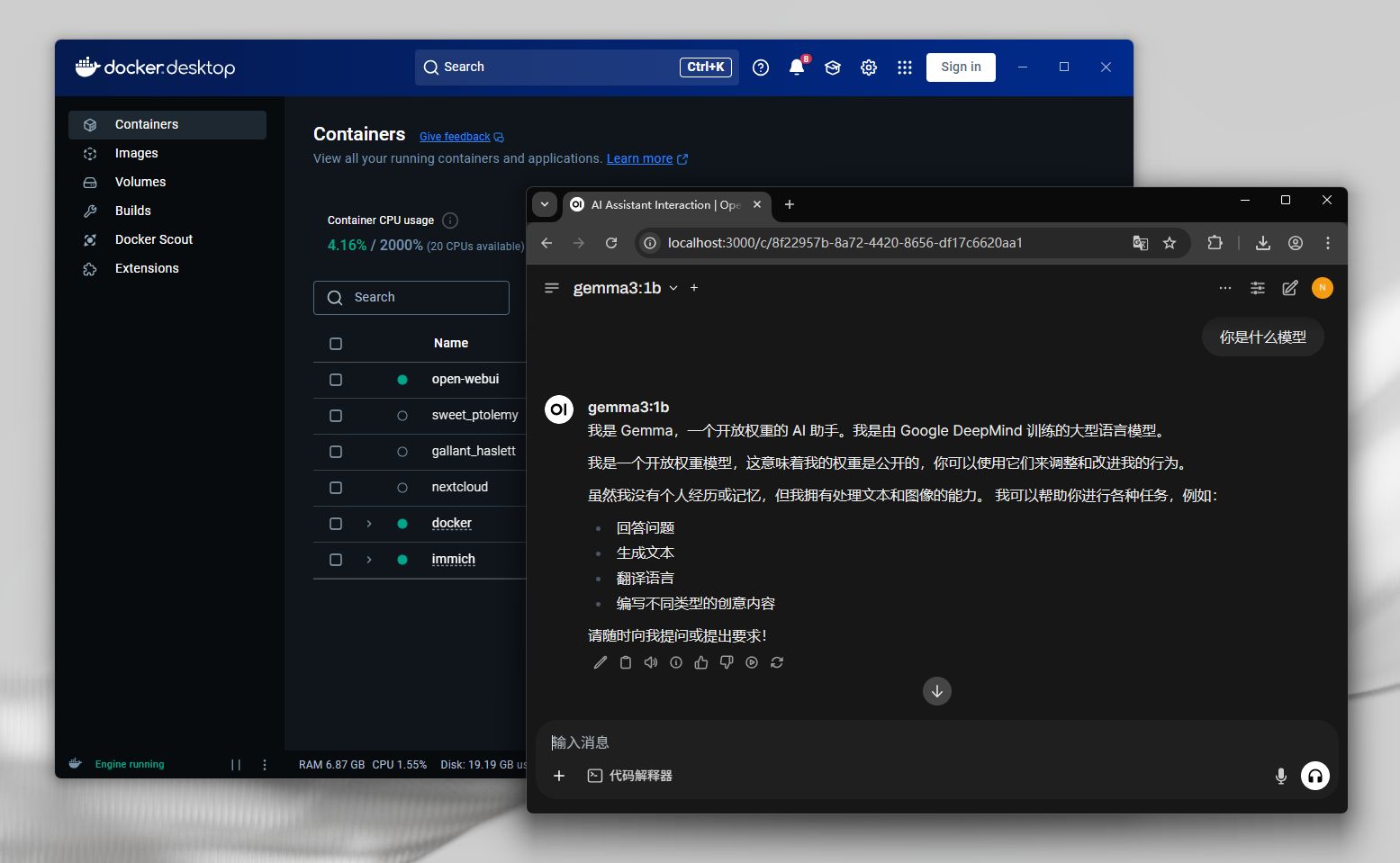
After successful access to the local address (localhost:3000), a page similar to the ChatGPT will appear. Gemma should be visible in the model selection on the left, and you can start interacting with the model.
Photo

Use Aweshell intranet to penetrate and map Open WebUI to realize remote access

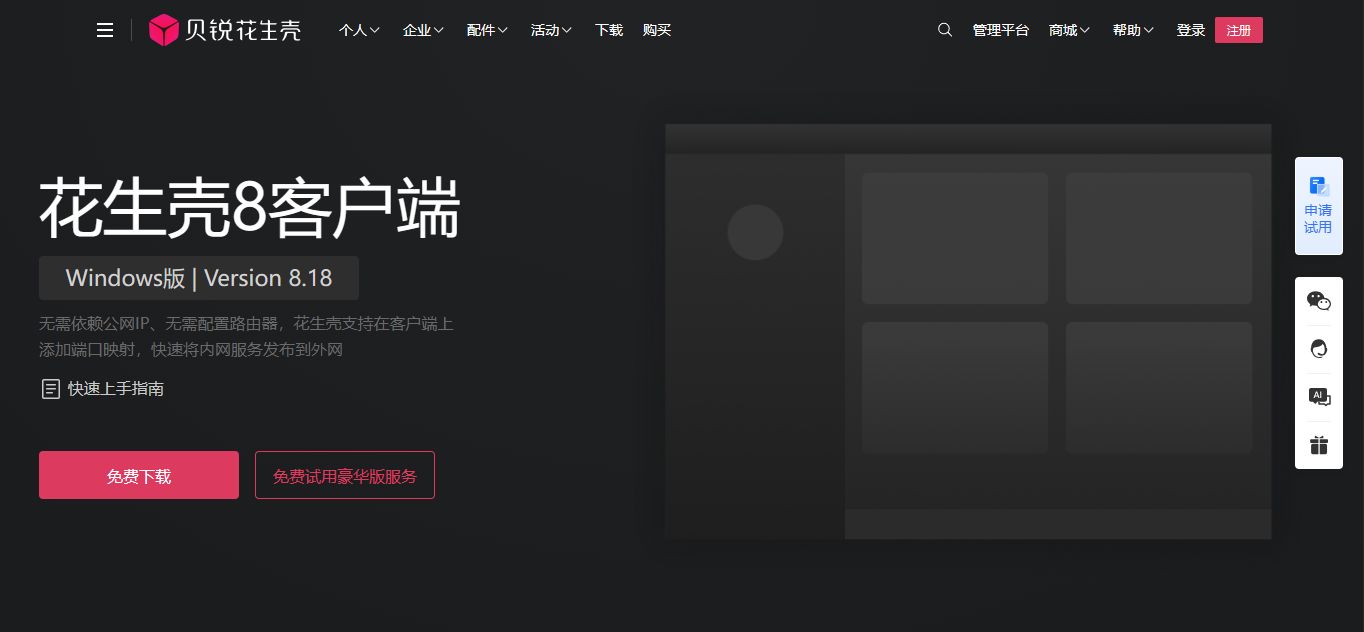
  1. Go to the Aweray Aweshell official website, download and install the client according to the system version, then start the Aweshell client and log in.
Photo

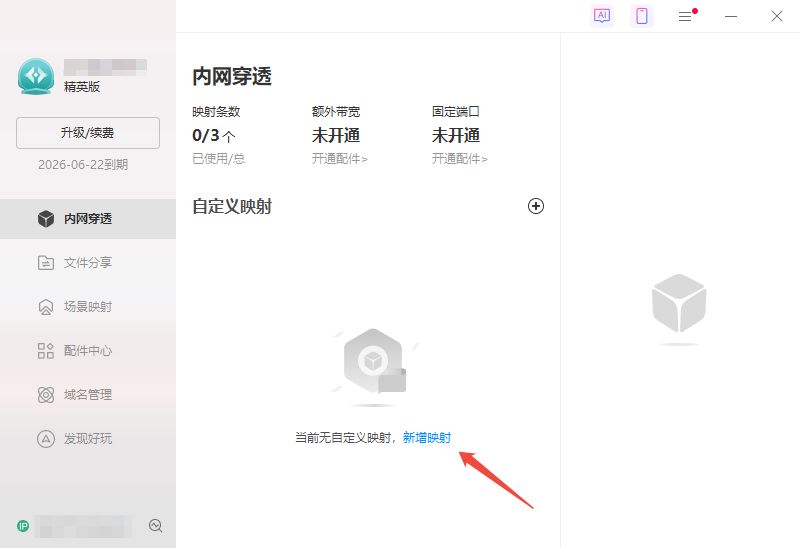
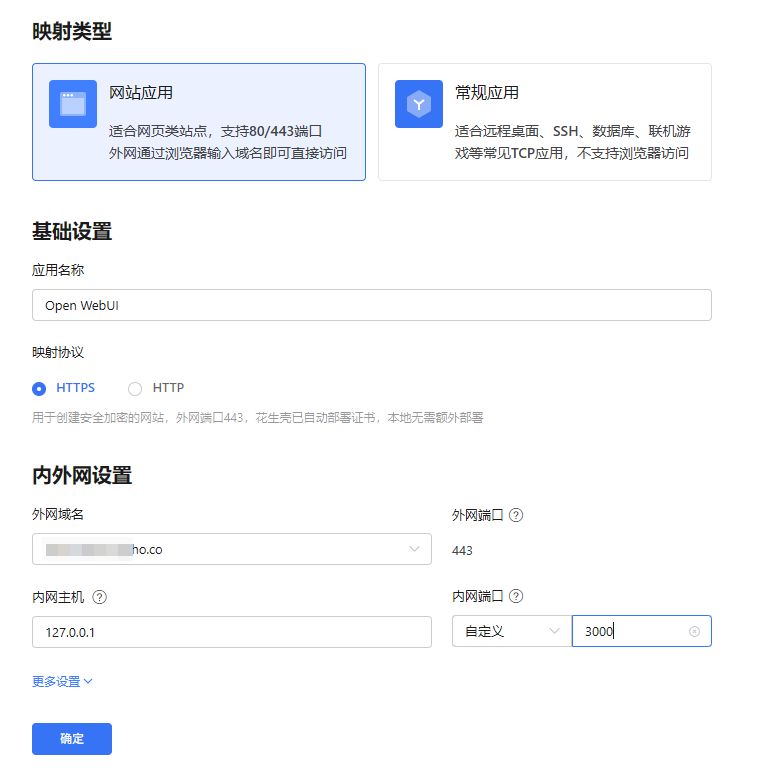
  1. According to the client interface prompt, enter the Aweray Aweshell cloud background, add HTTPS/HTTP mapping, point to the local 3000 port, and generate a fixed access link with one key.
Photo

Photo

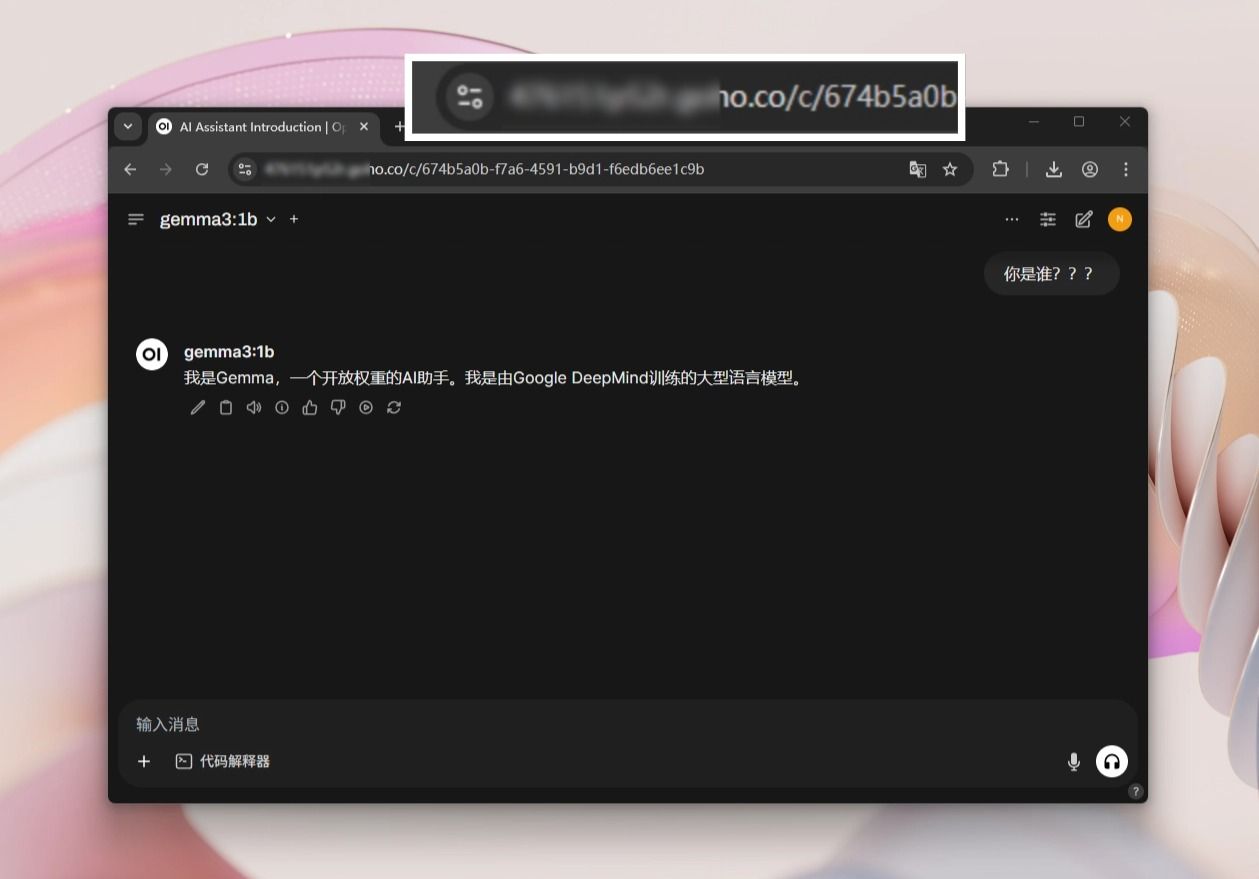
  1. Remote Access Use the fixed access link generated by the Aweray Aweshell to directly access the locally deployed Open WebUI.
Photo

Security Configuration

  • It is recommended that for Web applications such as Open WebUI, password authentication for Aweray Aweshell can be enabled to add additional authentication to the webpage class map to prevent unauthorized access.

  • HTTPS mapping can be selected first to realize encrypted transmission. BeiRu Aweshell supports one-click HTTPS mapping without locally deployed certificates.

  • If necessary, you can also enable the precise access control function of the Aweray Aweshell, and make more specific restrictions on the allowed access time/period, IP address/area, browser/system version, etc., and only allow a specific range of use.

So far, from model deployment to graphical interface to remote access, a complete set of local AI application solutions based on Ollama Gemma3 Open WebUI has been built. Through Aweray Aweshell intranet penetration, not only breaks the restrictions of public network IP and network environment, but also enables your multi-modal large model application to have "anytime, anywhere, safe and controllable" remote access capability. Whether it's personal experimentation, LAN deployment, or in-house model debugging, the combination is highly available and scalable.

Previous article:

Comparison of f...

Next:

Cost only a few...

Did the content of the document help you?

Yes
No

If you encounter product-related problems, you can consult Online customer service Ask for help.

Document Feedback

Mouse selected content, quick feedback problem

If you have doubts in the selected document, you can quickly feedback the problem and we will follow up.

Example:

Dandelion Router

In the router management interface,In the router management interface,

①DHCP:ON;

② IP address range: fill in the start and end address segments;

Document Feedback  Document Feedback

Okay, I got it

Related issues

· Security system analysis! Why is Aweray Aweseed remote networking so safe and reliable?· Ollama Gemma3 Model Open WebUI Remote Access Tutorial· Aweray Aweseed off-site networking solutions to accelerate the construction of the West-East Gas Pipeline Project· Remote control software recommend: AweSun and TeamViewer who is better?· Who is better, AweSun or AnyDesk? How to choose remote control software?· Aweseed and Tailscale: Selection and Comparison of Off-site Networking Tools

Other issues

· Visual management of equipment, how can the new version of Aweray Awesun screen wall enable business?· How to implement batch equipment operation and maintenance management through remote control? It is very important to make good use of these functions· Technical experts remote guidance, remote control how to enable coal mine automation enterprise operation and maintenance links· Aweseed Contrast ZeroTier: Why is Aweseed the Better Choice?· Medical system remote access, real-time data synchronization problems, Aweray Aweshell intranet penetration to easily solve· Selection of Intranet Penetration Tool: Comparative Analysis of Aweshell and Ngrok Core Competence
Document Feedback

Introduction to this article

How do 1. deploy Gemma3 models with Ollama?

How do 2. install OpenWebUI with Docker?

Use Aweshell intranet to penetrate and map Open WebUI to realize remote access

Purchase
  • AweSun
  • AweSeed
  • AweShell
  • Smart Hardware
Downloads
  • AweSun Client
  • AweSeed Client
  • AweShell Client
About
  • Company Profile
  • Partners
  • Blog
Support
  • Resources
  • Contact Us
  • Privacy Policy
  • Terms of Use
  • Cookies Policy
Copyright ©2026 AweRay PTE All Rights Reserved.
Purchase
  • AweSun
  • AweSeed
  • AweShell
  • Smart Hardware
Downloads
  • AweSun Client
  • AweSeed Client
  • AweShell Client
About
  • Company Profile
  • Partners
  • Blog
Support
  • Resources
  • Contact Us
  • Privacy Policy
  • Terms of Use
  • Cookies Policy
Copyright ©2026 AweRay PTE All Rights Reserved.